
Bring your servers
Add a subscription, import a supported server link, or scan a QR code. Keep the configurations you use in one place.
VPN & proxy client for iPhone and iPad
Spectre VPN brings your servers, subscriptions, and routing controls together in one straightforward app.

Free to download. Your own server or subscription is required.
Get help setting up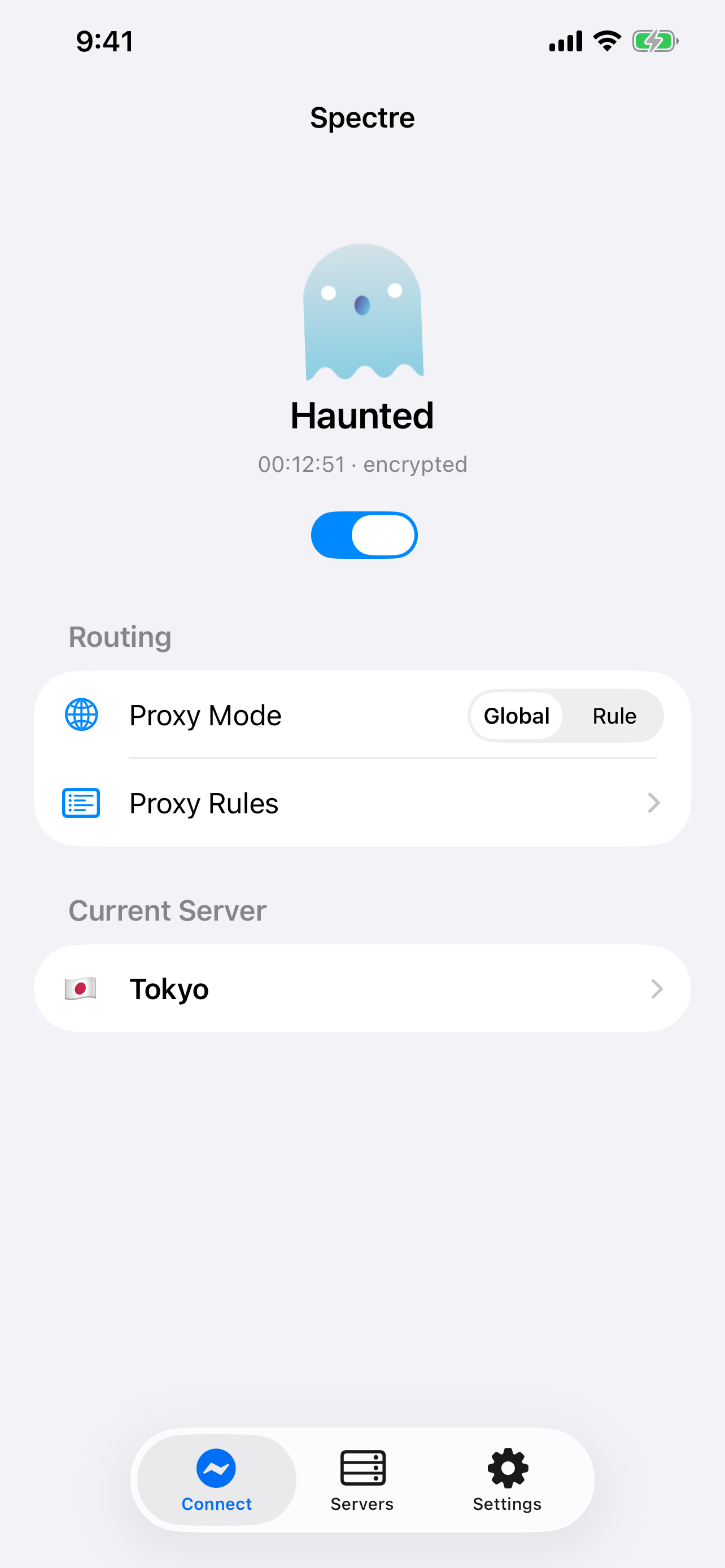
Built around your setup
Add a subscription, import a supported server link, or scan a QR code. Keep the configurations you use in one place.
Compare server latency and choose a connection that suits your needs. See the selected server and connection status at a glance.
Switch between global and rule-based routing. For advanced setups, import your own sing-box JSON configuration.
Compatible with your tools
Connect to compatible servers using the protocol your configuration requires.
New in version 2.0.7
Check your server and connection status in the redesigned Home Screen widget. Add Spectre VPN to Control Center on iOS 18 and later.
No. Spectre VPN is a client for servers you configure or obtain from a provider. You need your own compatible server details or subscription to connect.
The app is free to download. Any server hosting or subscription service you choose is separate and may have its own costs.
Import a supported server link, scan its QR code, or add a subscription in the app. Advanced users can also use a custom sing-box JSON configuration.
See What's New for the latest release notes and improvements.